
Public projects
Let your community help translate your project.
Documentation
- What is Localizely?
- Getting started
- Localization workflow
- Translation editor
- Organizations
- Flutter Over-the-Air updates
- Flutter In-Context Editing
- Project branching
- Public projects
- Professional translation services
- Machine Translation
- AI Translation
- Translation Memory
- Glossary
- Tasks
- QA checks
- Reports and Statistics
- Figma integration
- AWS S3 integration
- GitHub integration
- GitLab integration
- Bitbucket integration
- CLI
- Configuration file
- Supported file formats
- Universal placeholders
- Language & Country Codes
- Referral Program
- Affiliate Program
- FAQ
Public projects allow anyone in your community to join and contribute translations. They are useful when you want to crowdsource translation for open-source projects, community-driven apps, or products with an active user base. Use public projects to involve your community in the localization process, translate content faster, and reach a wider audience by adding more languages over time.
How it works
Make a project public
To make your project public, go to the project Settings page and enable the Make project public option. A shareable link will appear below. Save the settings to activate it.
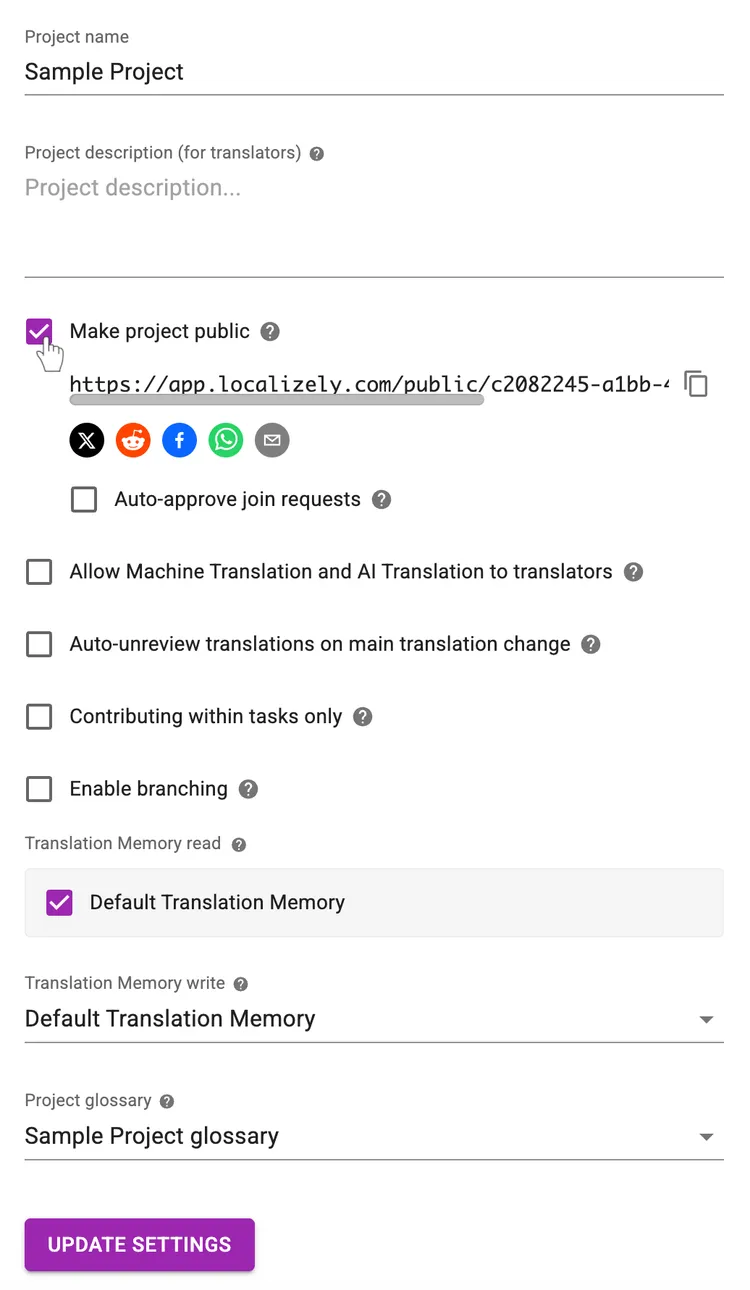
Hint: Adding a project description in the settings helps contributors understand your project's domain, audience, tone, and style, leading to more accurate translations. This description is shown on the public project page, giving potential contributors the context they need before joining.
Share your public project
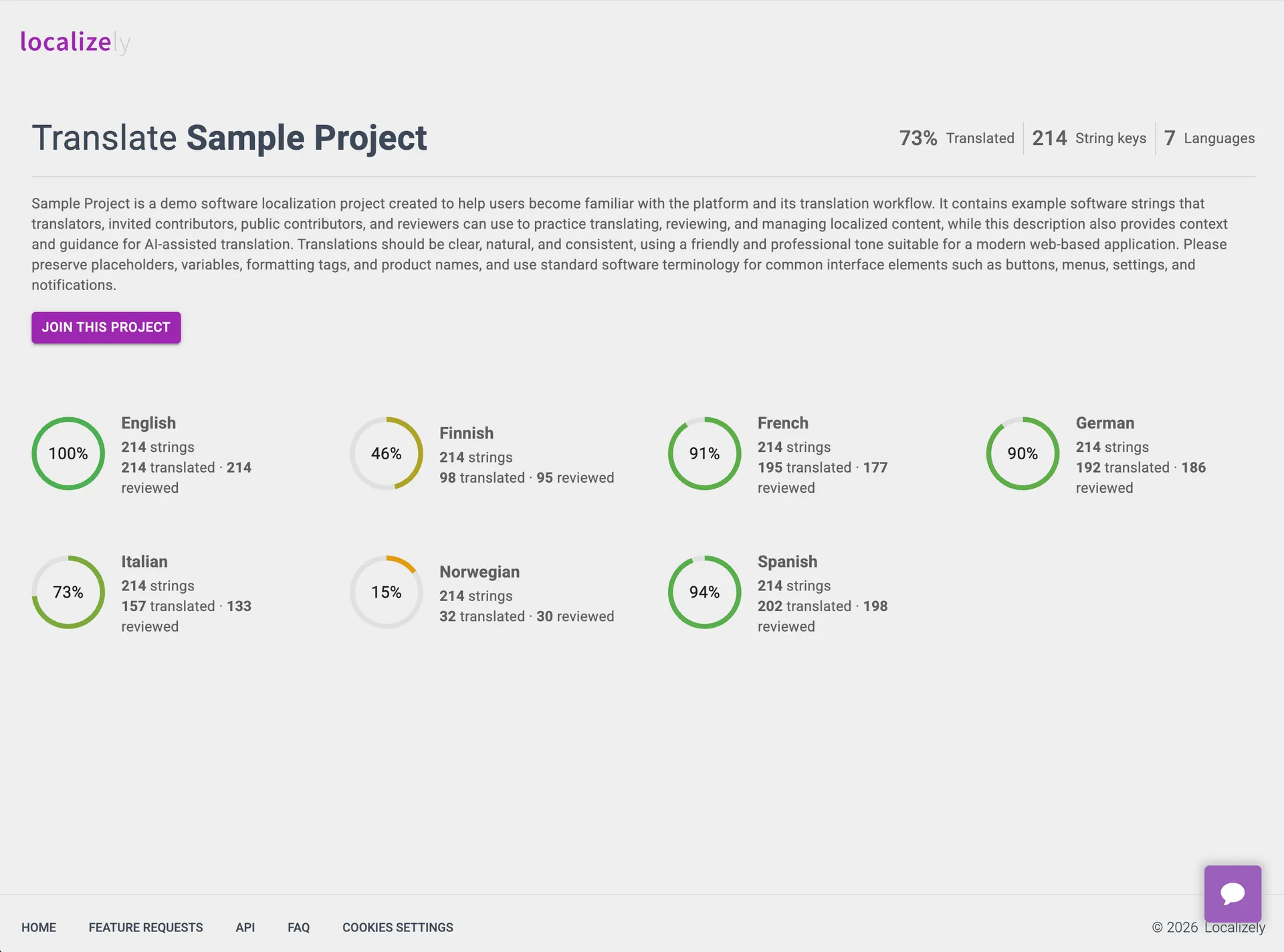
Once your project is public, you can share it with your community using the shareable link. Send the link directly, or use the social sharing buttons to spread the word and increase visibility.
The public project page gives visitors a quick overview of your project, including overall translation progress, the number of string keys, and supported languages. Each language also displays its own translation stats.
Anyone interested in contributing can request to join directly from this page.
Review join requests
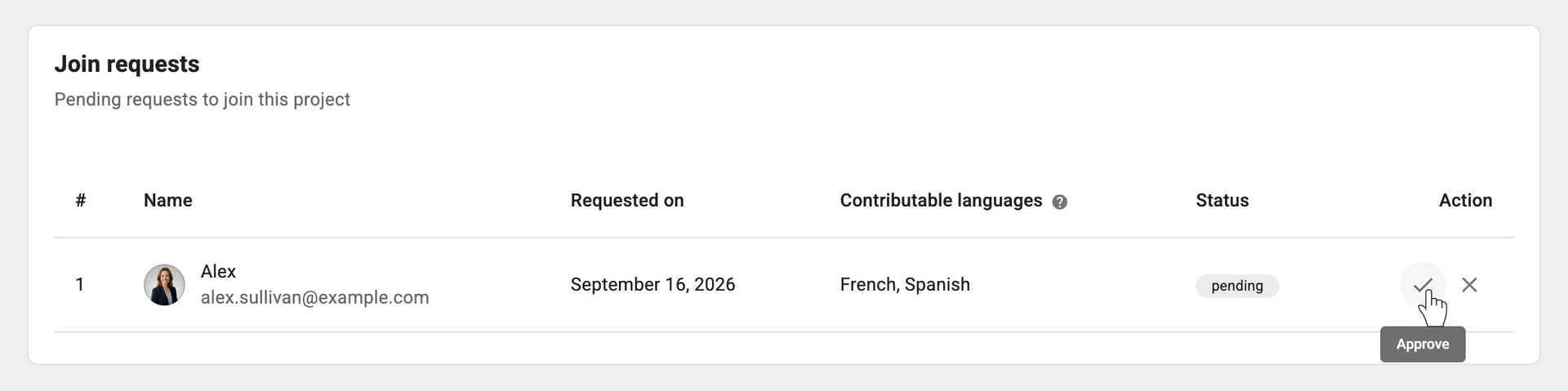
By default, join requests require manual approval. The project owner and admins can review, approve, or reject pending requests from the Contributors page.
If you prefer a more open approach, you can enable auto-approval in the project settings to automatically accept all join requests.
Manage permissions for approved contributors
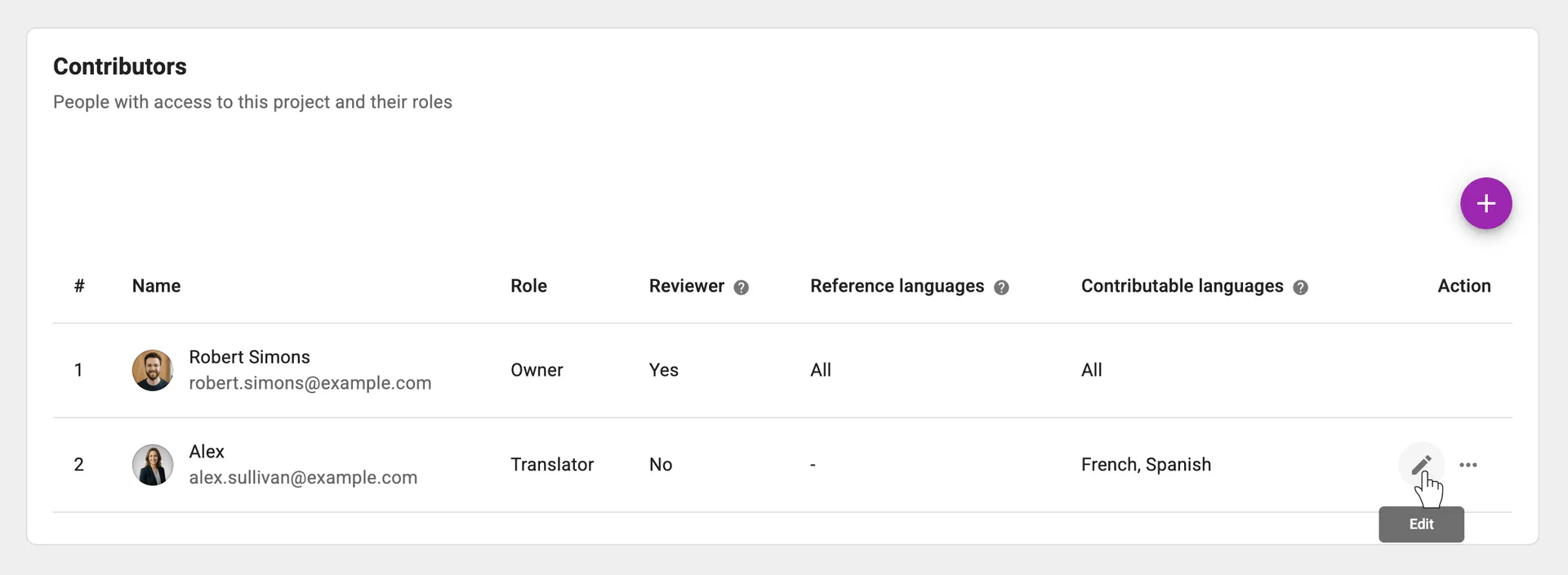
Approved contributors receive the Translator role by default. They do not have reviewer access and can only work with the languages selected in their join request.
The project owner and admins can update contributor permissions at any time from the Contributors page, including which languages contributors can translate or use as reference languages.
Frequently Asked Questions (FAQ)
How can I crowdsource translations for my project?
To crowdsource translations, make your project public in the project settings. Once it's public, you can share the project link with your community, users, or anyone who may be interested in contributing.
Contributors also need to know the project exists, so share the link where your users already are: your website, social media, newsletters, community forums, or product updates.
How can I improve the quality of community translations?
Provide contributors with clear context before they start translating. Write a concise project description that explains what the project does, who the audience is, and what tone or style should be used. Include key terminology, product names, and any phrases or concepts that are commonly misunderstood. Community translations are more accurate and consistent when contributors understand the purpose and meaning behind the content, instead of translating each string in isolation.
Can I use public projects for open-source localization?
Yes. Public projects are a great fit for open-source localization. They allow community contributors to help translate your project, and Localizely is free for open-source projects.
Can I make a public project private again?
Yes. You can make a public project private at any time. Once you turn off public access, the project is removed from public view and new join requests are disabled. Existing contributors will retain their current access unless you change their permissions manually.
Previous: Project branching
Read next: Professional translation services
Tired of manually editing translation files?
Our platform streamlines software localization for you.
Documentation
- What is Localizely?
- Getting started
- Localization workflow
- Translation editor
- Organizations
- Flutter Over-the-Air updates
- Flutter In-Context Editing
- Project branching
- Public projects
- Professional translation services
- Machine Translation
- AI Translation
- Translation Memory
- Glossary
- Tasks
- QA checks
- Reports and Statistics
- Figma integration
- AWS S3 integration
- GitHub integration
- GitLab integration
- Bitbucket integration
- CLI
- Configuration file
- Supported file formats
- Universal placeholders
- Language & Country Codes
- Referral Program
- Affiliate Program
- FAQ

Resources
- What is Localizely?
- Getting started
- Localization workflow
- Translation editor
- Organizations
- Flutter Over-the-Air updates
- Flutter In-Context Editing
- Project branching
- Public projects
- Professional translation services
- Machine Translation
- AI Translation
- Translation Memory
- Glossary
- Tasks
- QA checks
- Reports and statistics
- Figma integration
- AWS S3 integration
- GitHub integration
- GitLab integration
- Bitbucket integration
- CLI
- Configuration file
- Supported file formats
- Universal placeholders
- Language & Country Codes
- Referral Program
- Affiliate Program
- I18N Questions
- FAQ
Free tools
- ICU message for translators
- ICU message editor
- Hreflang generator
- Hreflang checker
- JSON Flattener
- JSON Validator
- YAML Validator
- XML Validator
- CSV Validator
- Text Compare
- Text Encoding Converter
- Localization File Converter
- JSON Word Counter
- ARB Word Counter
- Translation Cost Calculator