
Tasks
Documentation
- What is Localizely?
- Getting started
- Localization workflow
- Translation editor
- Flutter Over-the-Air updates
- Flutter In-Context Editing
- Project branching
- Professional translation services
- Machine Translation
- AI Translation
- Translation Memory
- Glossary
- Tasks
- Reports and Statistics
- Figma integration
- AWS S3 integration
- GitHub integration
- GitLab integration
- Bitbucket integration
- CLI
- Configuration file
- Supported file formats
- Language & Country Codes
- Referral Program
- Affiliate Program
- FAQ
Tasks in Localizely are project-specific assignments designed to help you manage localization work more effectively. They let you assign translation and review work to project contributors, making it easier to track progress and keep projects on schedule.
Creating a new task
There are two ways to create a task in Localizely.
Via the Translations page
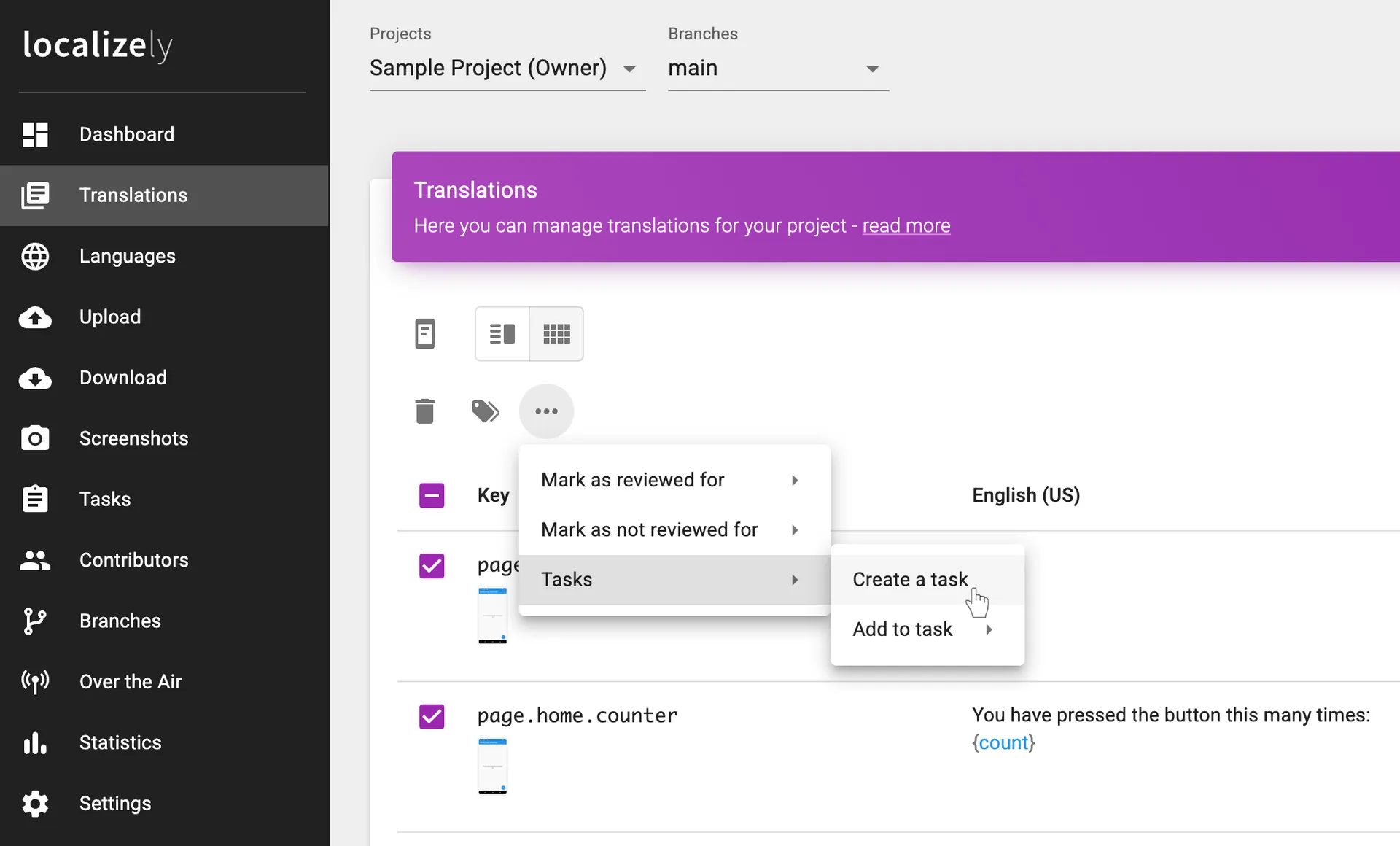
Start by selecting one or more string keys on the Translations page. Tick the checkboxes next to the keys you want to include in the task.
Once selected, open the More menu and choose Create a task.
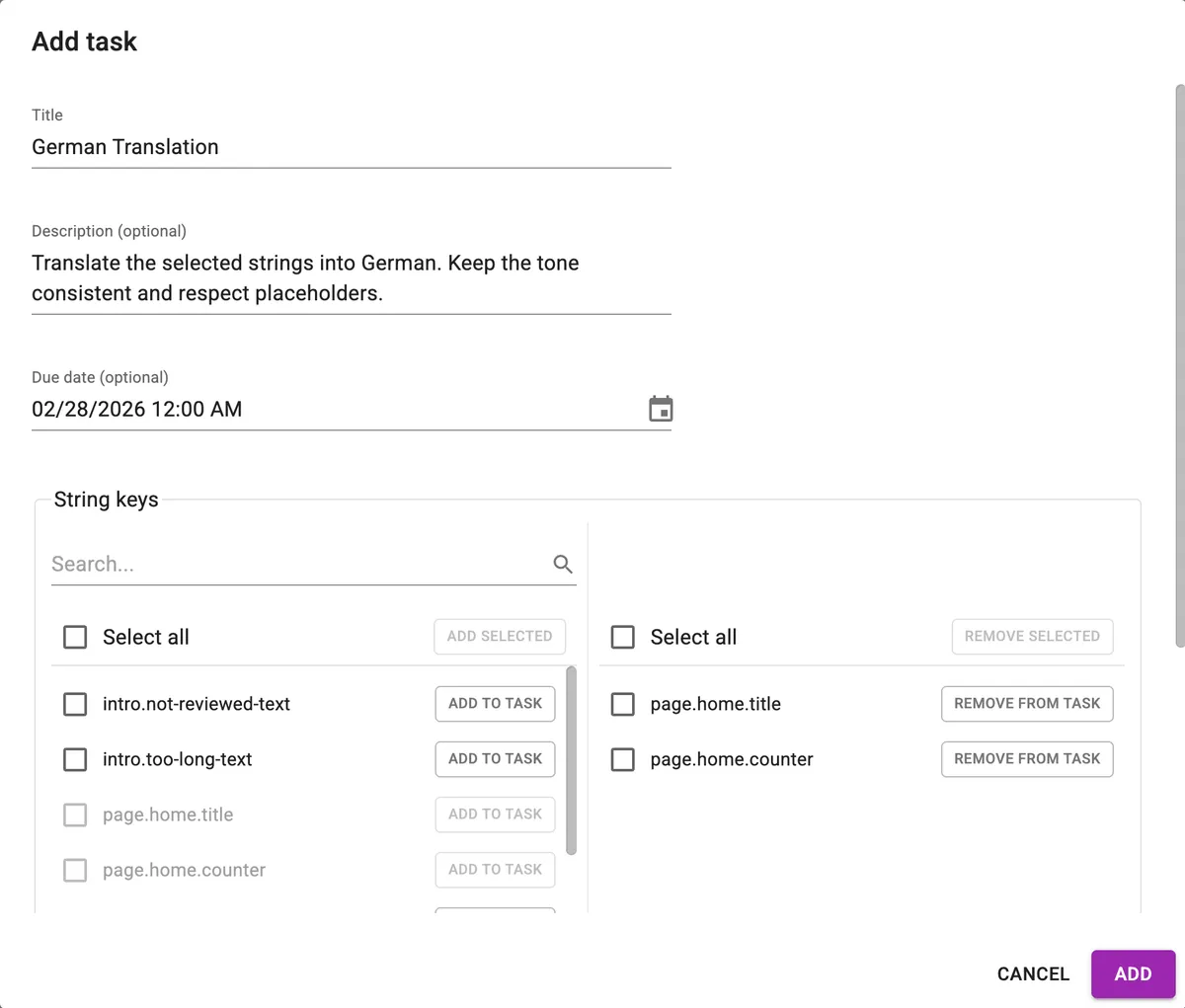
This opens the Task dialog with the selected string keys pre-filled. Enter the required information (such as the task title) and optionally add a description and due date. At the bottom of the dialog, you can assign contributors per language for fine-grained control.
Via the Tasks page
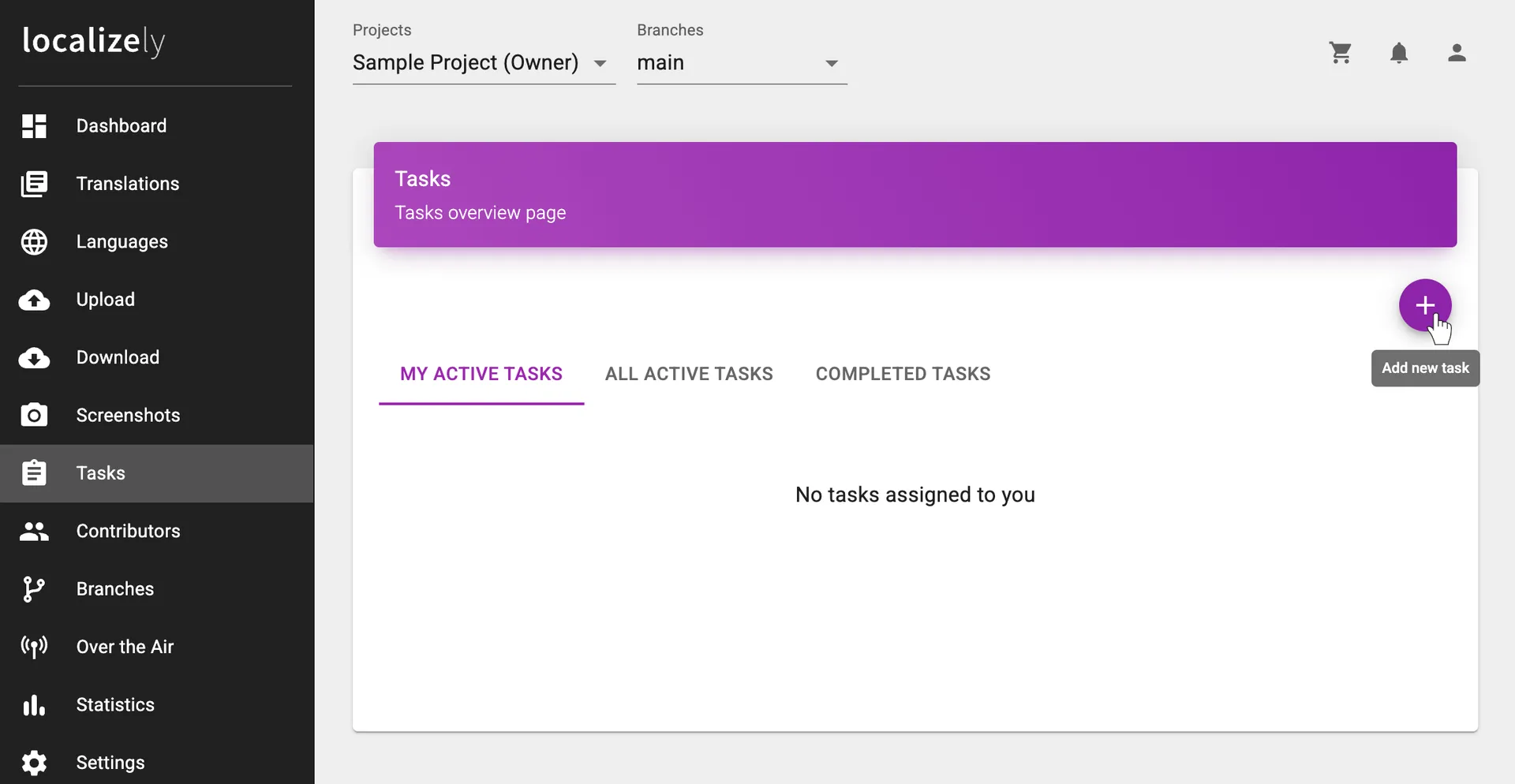
You can also create a new task directly from the Tasks page. Click the Add new task button in the top-right corner to open the Task dialog. From there, you can enter task details, select string keys and languages, and set assignments.
Editing a task
You can easily update an existing task. To add more string keys to a task, go to the Translations page, select the keys, and choose Add to task.
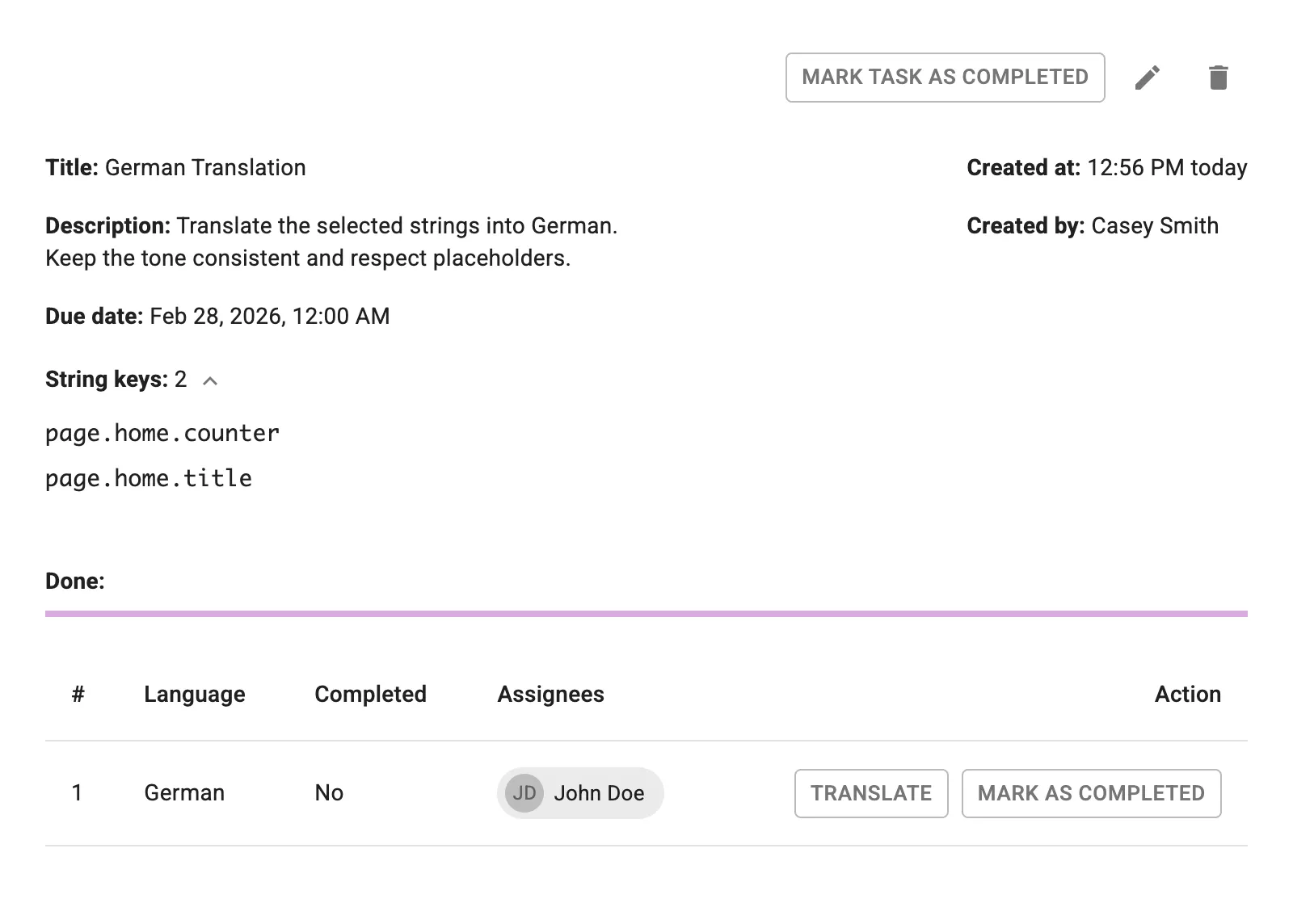
To update task details or mark a task as completed, use the Tasks page.
Task filtering
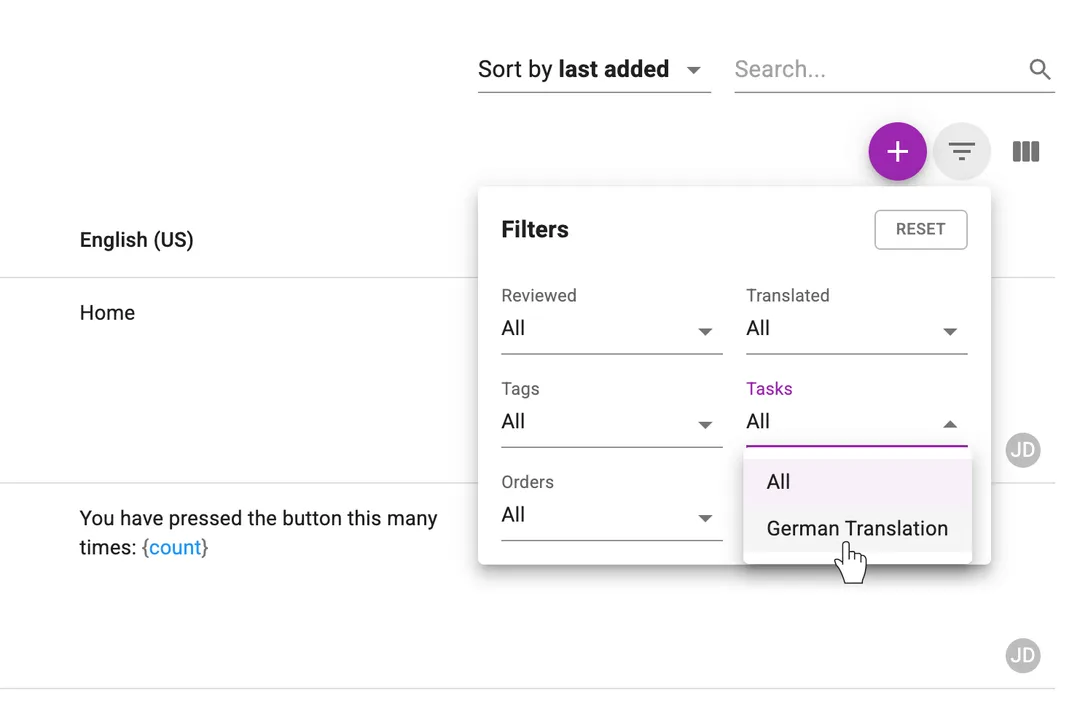
On the Translations page, you can filter string keys by task. Open the Filters menu in the top-right corner and select a task.
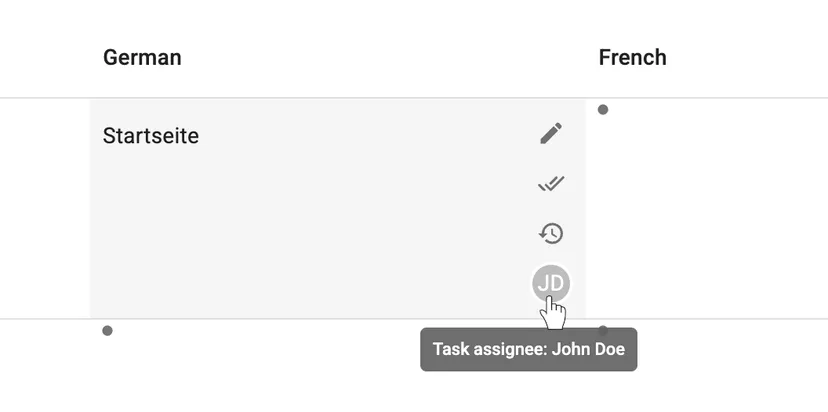
You can also quickly spot task assignments directly in the Translations table. Cells that are assigned in a task are marked with the assignee’s avatar at the bottom of the cell for the corresponding key and language.
Settings
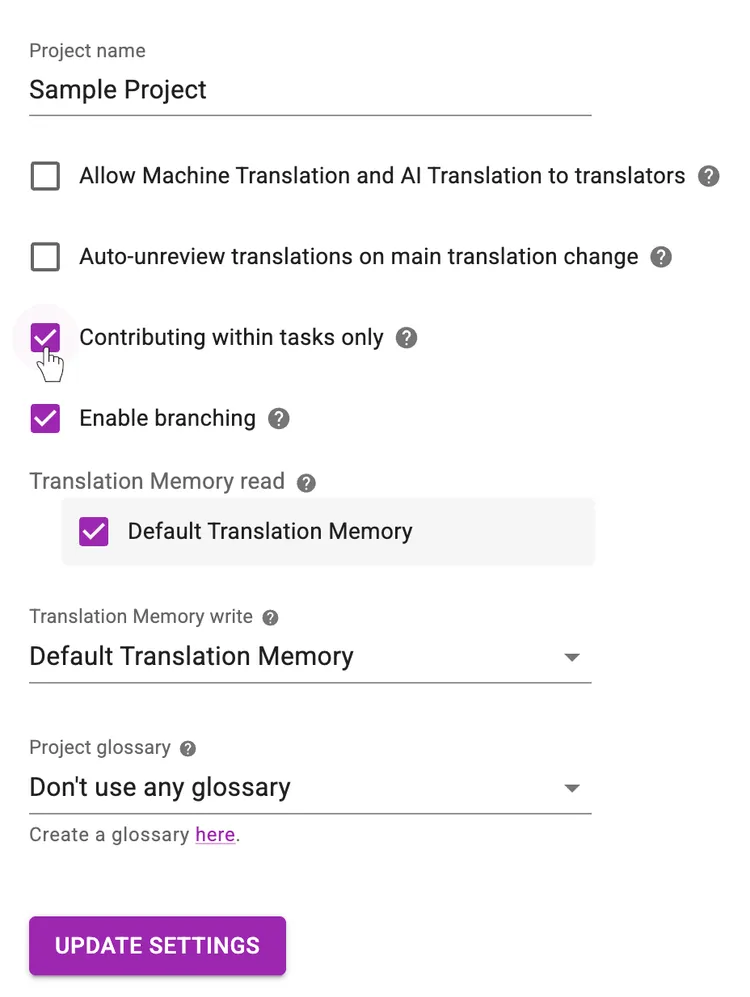
If you want to allow contributions to your project only through tasks, you can enable this option on your project’s Settings page.
Previous: Glossary
Read next: Reports and Statistics
Tired of manually editing translation files?
Our platform streamlines software localization for you.
Documentation
- What is Localizely?
- Getting started
- Localization workflow
- Translation editor
- Flutter Over-the-Air updates
- Flutter In-Context Editing
- Project branching
- Professional translation services
- Machine Translation
- AI Translation
- Translation Memory
- Glossary
- Tasks
- Reports and Statistics
- Figma integration
- AWS S3 integration
- GitHub integration
- GitLab integration
- Bitbucket integration
- CLI
- Configuration file
- Supported file formats
- Language & Country Codes
- Referral Program
- Affiliate Program
- FAQ

Resources
- What is Localizely?
- Getting started
- Localization workflow
- Translation editor
- Flutter Over-the-Air updates
- Flutter In-Context Editing
- Project branching
- Professional translation services
- Machine Translation
- AI Translation
- Translation Memory
- Glossary
- Tasks
- Reports and statistics
- Figma integration
- AWS S3 integration
- GitHub integration
- GitLab integration
- Bitbucket integration
- CLI
- Configuration file
- Supported file formats
- Language & Country Codes
- Referral Program
- Affiliate Program
- I18N Questions
- FAQ
Free tools
- ICU message for translators
- ICU message editor
- Hreflang generator
- Hreflang checker
- JSON Flattener
- JSON Validator
- YAML Validator
- XML Validator
- CSV Validator
- Text Compare
- Text Encoding Converter
- Localization File Converter
- JSON Word Counter
- ARB Word Counter
- Translation Cost Calculator